


Device Overview
Get a complete snapshot of your Mac's hardware and system details - all in one clean, easy-to-read dashboard.
Redefining the Mac system monitor. Simple, powerful, and elegant.

Mac Monitorly, formerly known as Temp Monitor, is an all-in-one system monitor for macOS, designed to give you deep insights into your Mac's sensors, CPU, GPU, memory, disks, temperature, and fans — with real-time alerts, smart fan control, and support for AI assistants.
Connect Claude, Cursor or any MCP-compatible AI app to Mac Monitorly, then just ask. It reads your live sensors, fans, CPU, GPU, memory and up to 7 days of history, and answers in plain words.
Your CPU is at 94 °C and running at 87%, so the fans are up to 5,200 rpm. Most of that load comes from:
It should cool down once Xcode settles. Quitting unused Chrome tabs will help too.
Your Mac was under real pressure from about 14:10 to 14:30. CPU stayed above 90%, memory pressure peaked at 78% and swap grew to 2.1 GB.
Since then it has been calm. I can’t see which app caused it back then, but I can check what’s running now.
A bit. Your hottest CPU reading averaged 58 °C this week, up from 51 °C at the start.
The peaks were on Tuesday and Thursday afternoons, so it looks tied to heavy use rather than a fault.
Mac Monitorly provides a detailed overview of all available sensors on your Mac, including temperature, voltage, current, and power. Each sensor displays its description, real-time value, status, and a history graph you can view over the last minute, hour, day, or week.

Gain full control over your Mac's cooling system. View each fan's speed in real time, and set every fan to System, Manual, or Auto Boost mode on its own — boost when a sensor gets hot or when a chosen app is running, to keep your Mac cool under any workload.

Mac Monitorly gives you real-time insights into your Mac's processor, with overall and per-core usage (including performance and efficiency cores), core frequencies, usage history graphs, top processes grouped by app, system load averages, and uptime — all in one clean view.

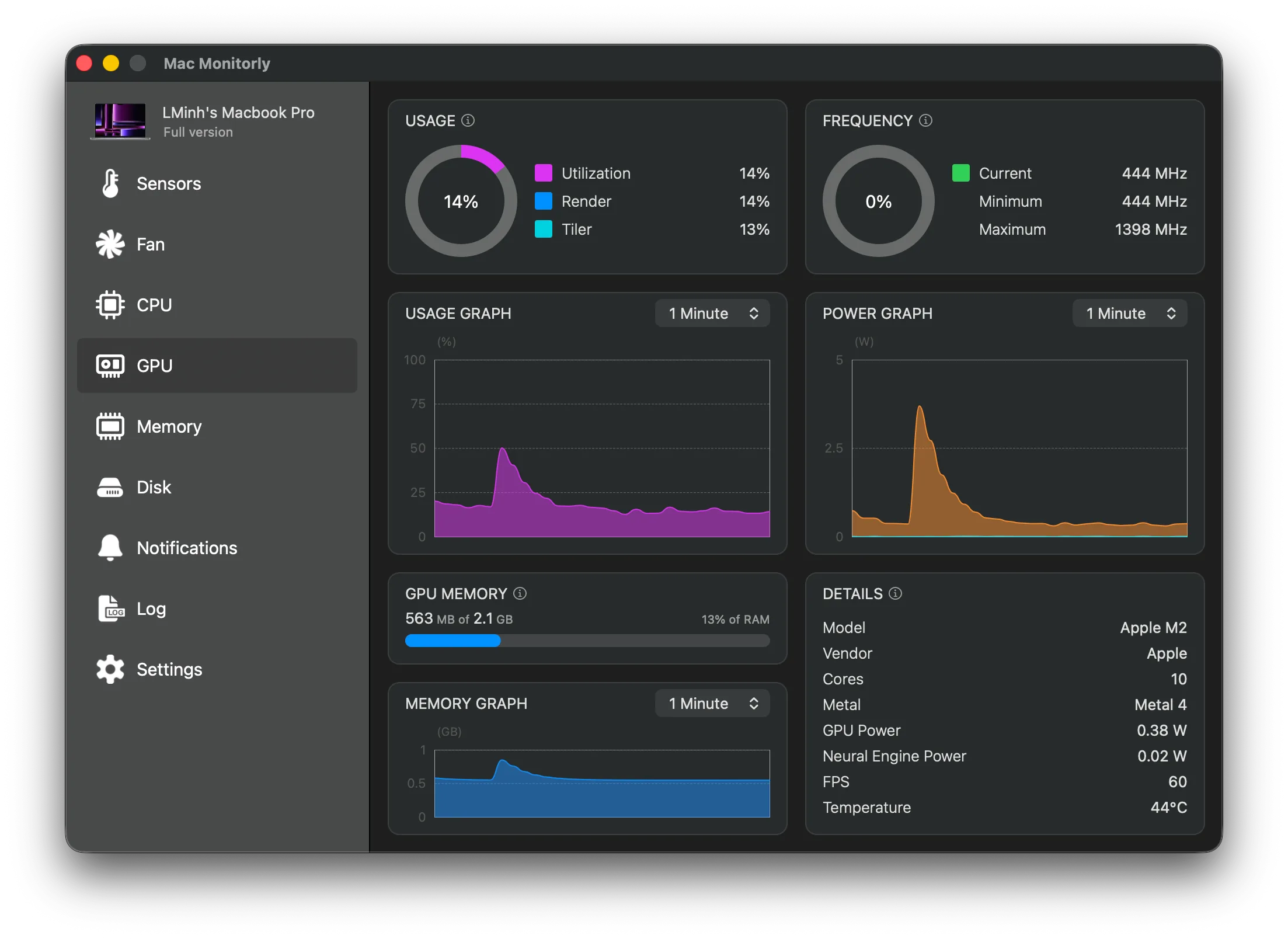
See what your GPU is doing in real time: utilization, GPU memory, clock speed, frame rate, and the power drawn by the GPU and Neural Engine. History graphs reach back a minute, hour, day or week, so you can look back at an overnight render or a long local AI run.
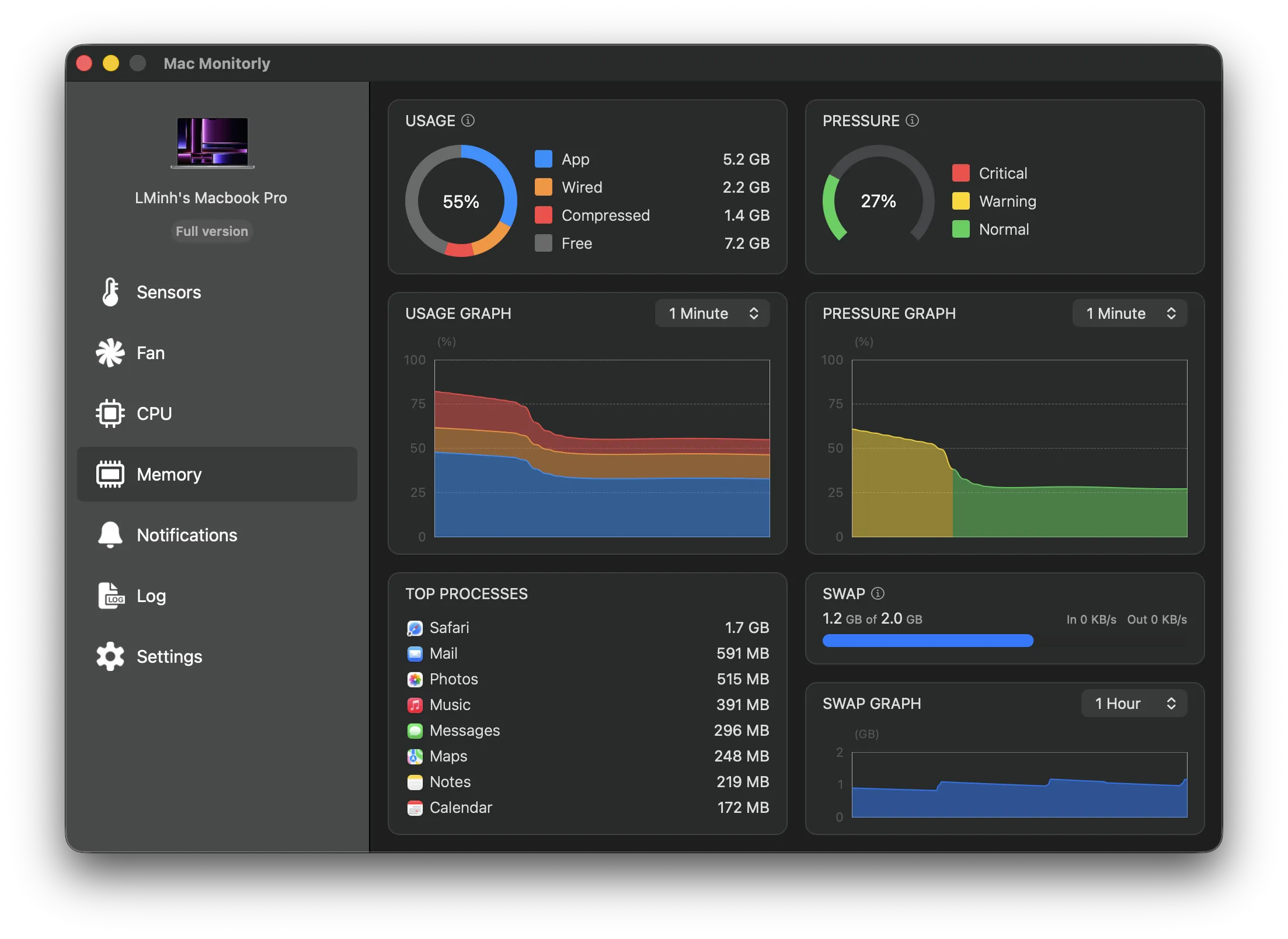
Keep an eye on your Mac's memory with a detailed breakdown of app, wired, compressed, and free memory, a color-coded memory pressure gauge, swap usage and traffic, history graphs, and the apps using the most memory.
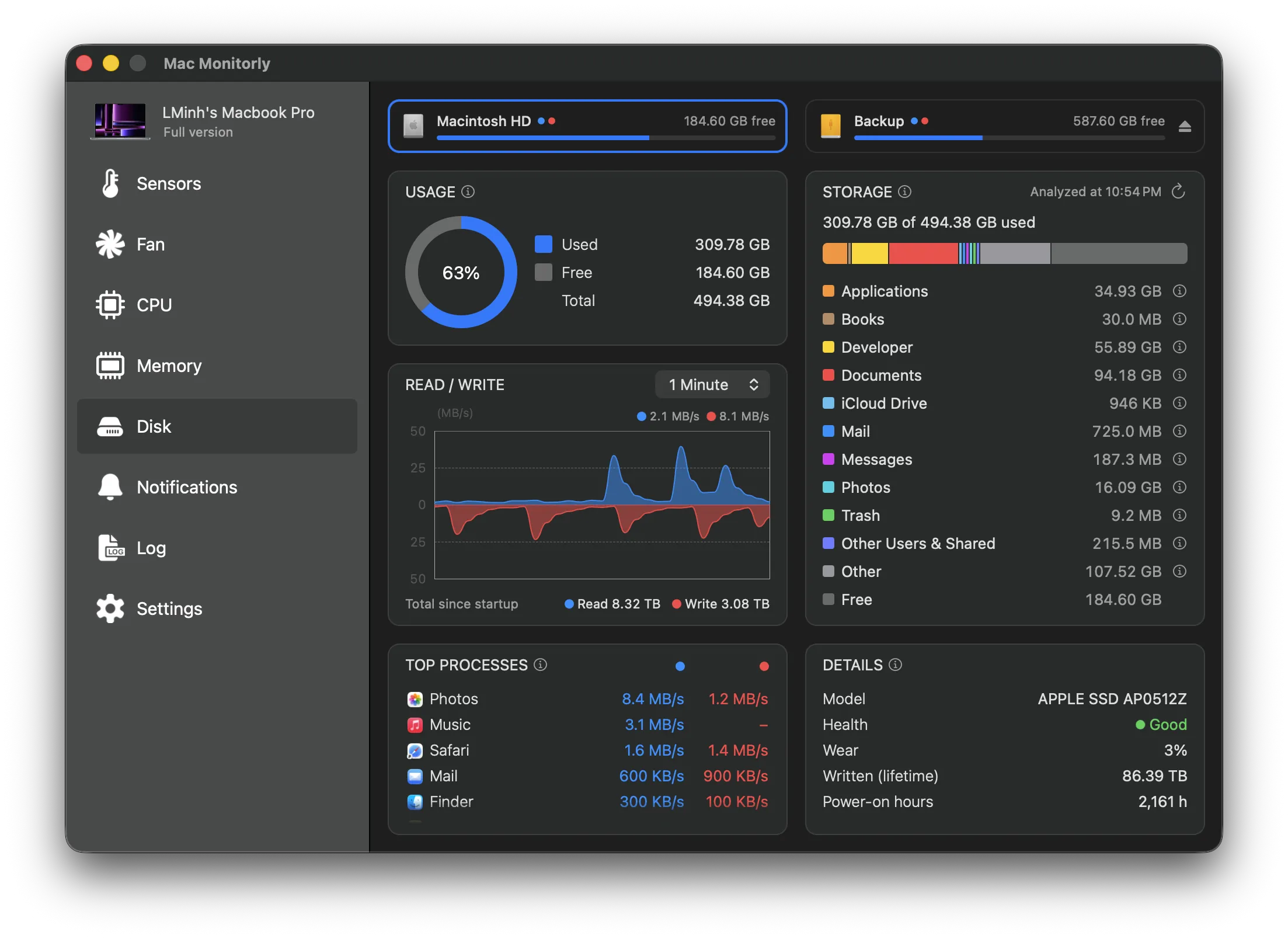
See where your storage goes with a breakdown by category, just like System Settings, plus live read and write speeds, history graphs, the apps reading and writing the most, and your drive's health and wear. Every connected volume is one click away.
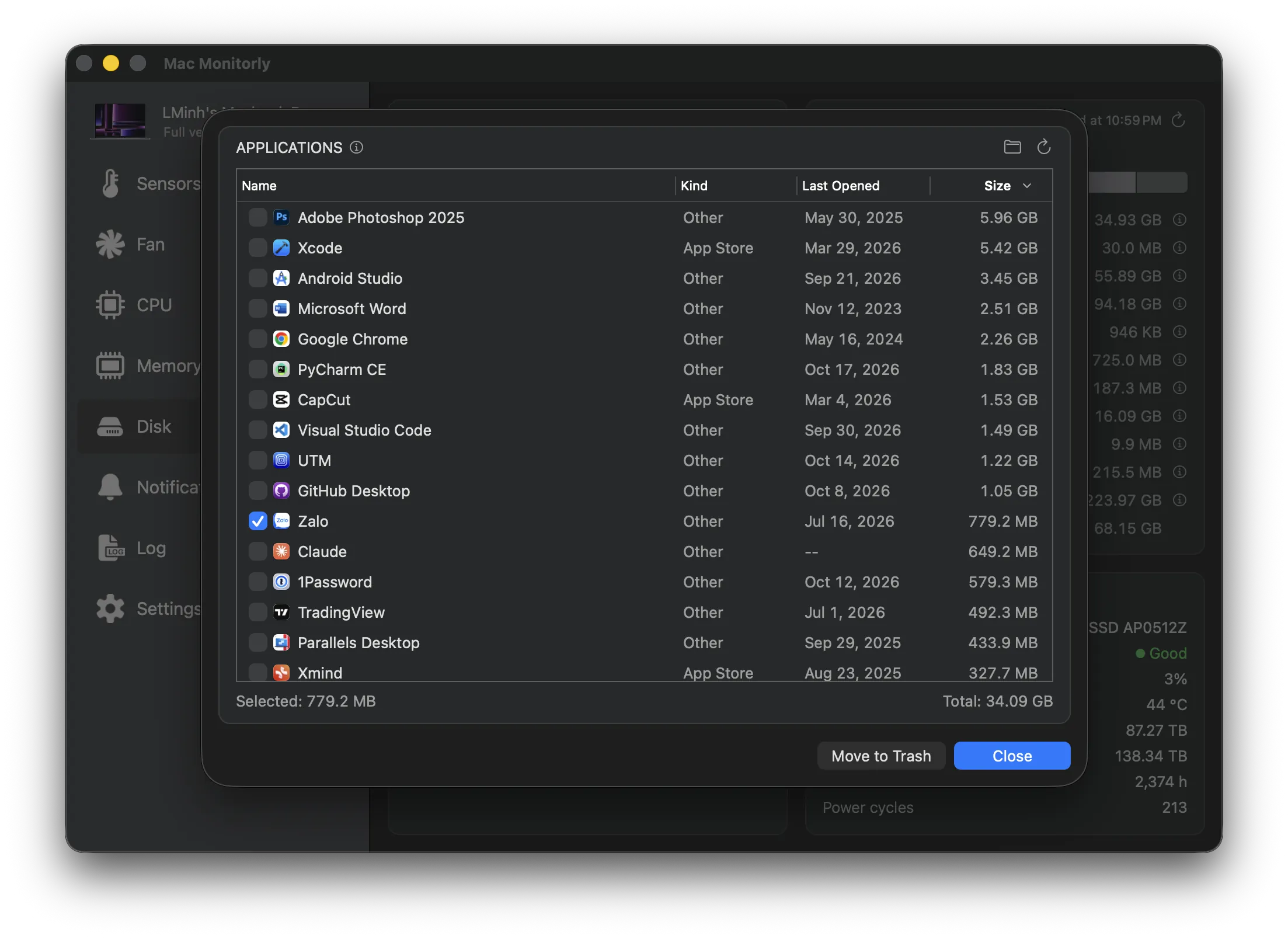
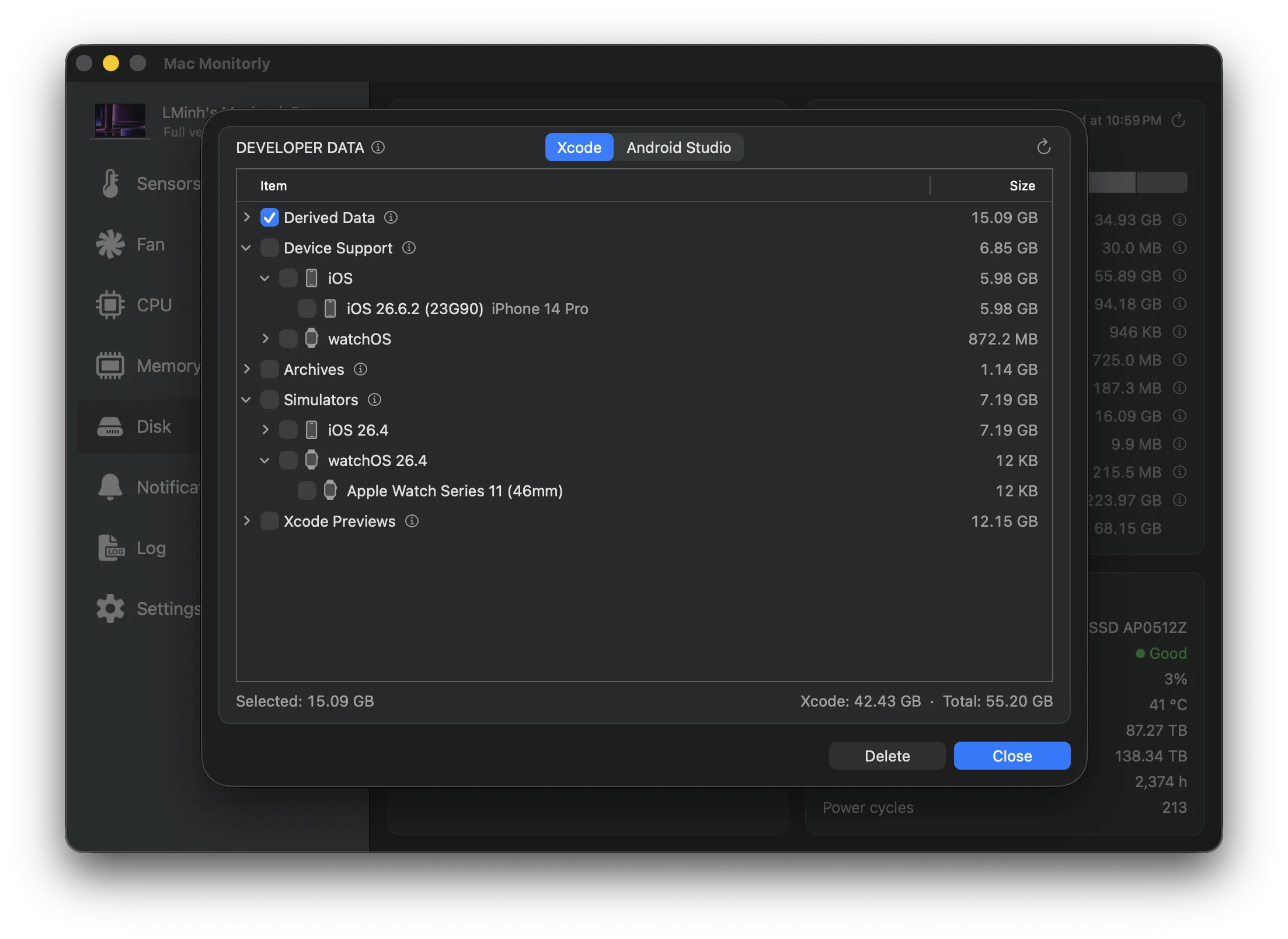
Free up space in a few clicks. See every app with its size and when you last opened it, and move the ones you no longer need to the Trash. Developers can clear what Xcode and Android Studio leave behind — derived data, device support files, old archives, simulators, emulators, and Gradle caches — item by item.
Running quietly in the background, Mac Monitorly continuously watches your Mac's sensors and alerts you as soon as any component — such as the CPU or GPU — exceeds a safe temperature. Set your own threshold and duration for each sensor, and add alerts for CPU or GPU usage, memory, thermal pressure, or low disk space too. Stay protected from overheating without lifting a finger.

Mac Monitorly includes a lightweight menu bar utility that gives you instant access to sensors, fans, CPU, GPU, memory, and disks — right from your Mac's menu bar. Pick what each menu bar item shows and customize every dropdown with a live preview.

Keep a permanent record of your Mac's performance. Mac Monitorly logs the sensors you choose to CSV files, starting a new file by day, hour, or size and keeping as many as you need, so you can track changes over time or analyze performance issues.

A fresh design for macOS 26, customizable menu bar items, hotkeys for quick access, and ongoing improvements make Mac Monitorly a powerful and flexible system monitor for your Mac.

Get a complete snapshot of your Mac's hardware and system details - all in one clean, easy-to-read dashboard.
Pick a main sensor to show in your menu bar for quick access and real-time monitoring - right where it matters most.
Combine multiple sensor values into smart, calculated metrics - like average or max CPU temperature.
Supports both light and dark modes, adapting beautifully to your system appearance for a seamless experience day or night.
Mac Monitorly is available in 29 languages, so you can monitor your Mac comfortably - no matter where you're from.
Quickly open any menu or switch fan modes using customizable keyboard shortcuts - no need to lift your hands off the keys.
Enjoy a 14-day free trial to explore all features of Mac Monitorly. After that, choose between a single or family license — both are one-time purchases with no subscription required.

“Unobtrusive and small utility which will keep a close eye on your Mac's processor and notify you when its temperature goes above a pre-defined safe value.”
“The keystone of a MacBook in good working condition is characterized by a well-cooled processor. With Mac Monitorly, you have essential information in the menu bar and real-time monitoring.”

“Temp Monitor is a pretty straightforward tool that tracks the processes and apps running on your Mac, providing you with operational notes and assistance in times when the temperature goes over the norm.”